EN RU

Products

Product line

Crew planning: the duty board and the weekly roster
Airline operational environment

FRMS

Managing crew fatigue risk

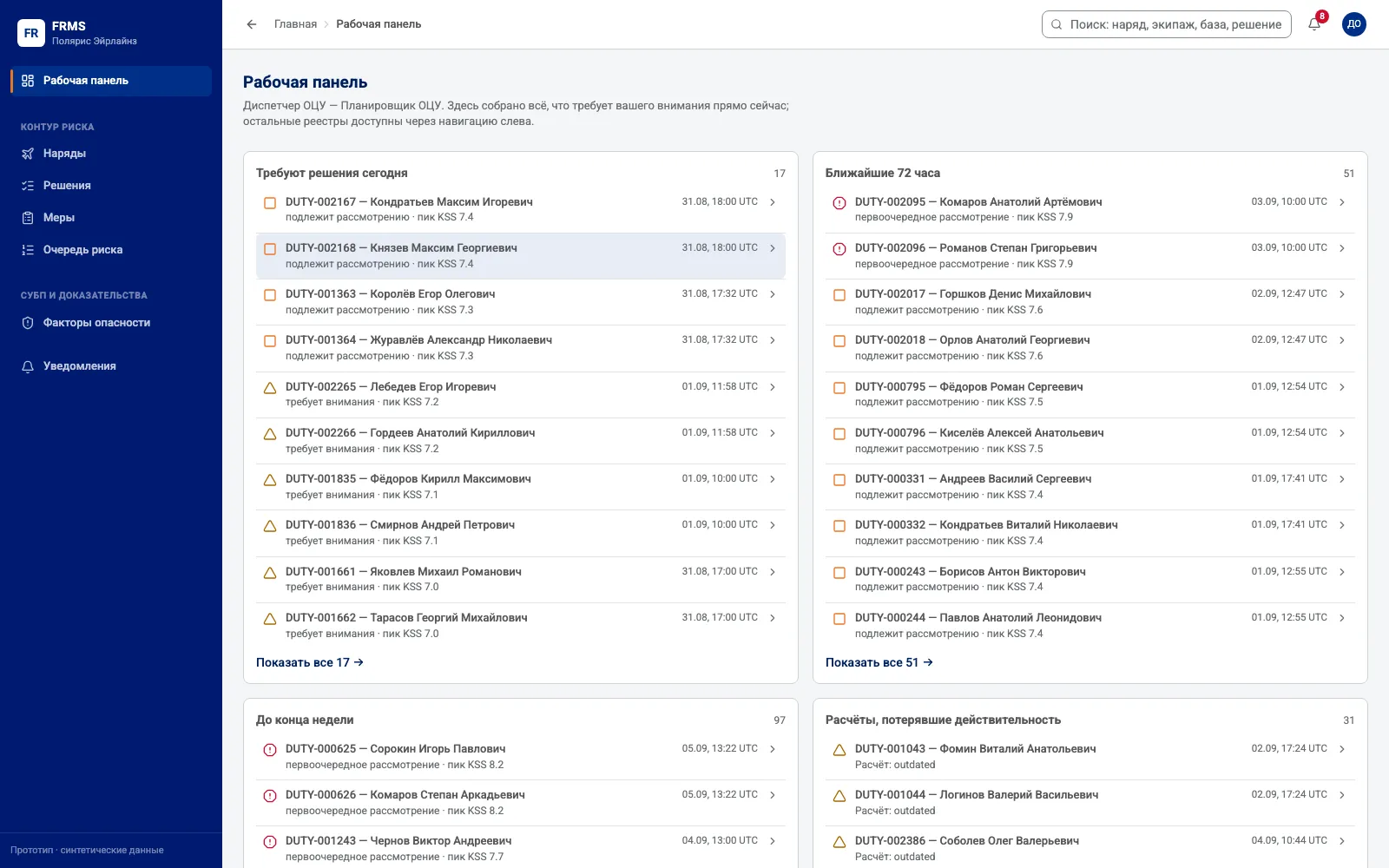
FRMS scores every planned, published and actual duty and returns a sleepiness forecast on the KSS scale, a profile over time and the score broken into its parts.

The planner has the result before the roster is published, can test an alternative in what-if mode and recalculate a duty when a flight is delayed.

Once a decision is taken the system carries the rest of the loop: the measure, its execution, the check on whether it worked, and the hazard factor and indicator handed to the SMS.

The planner, squadron commander, instructor, flight safety office, programme manager and auditor each work with their own slice of data and their own authority. Oversight roles have read access; the separation is enforced by the server.
Read more

FRMS planner workbench: duties needing a decision today and within the next 72 hours, each with its peak value on the KSS scale

EBT.ID

The instructor's working tool: training and assessment under EBT

EBT.ID brings the working processes of the instructor and the methodologist together: programme structure, training elements and scenarios, competency assessment, training history, the pilot profile and programme coverage.

Assessment forms carry the methodological rules inside them. Approved editions of a programme stay unchanged; a change is issued as a new version.

Over the operational loop runs the training-need calculation. A below-standard grade with a causal review forms an individual need. Accumulated results across modules and assessments reveal a need at group level.

The lifecycle engine creates modules, watches windows and deadlines, tracks qualifications and prepares renewal drafts. The working list sorts obligations by urgency: pilot, module, session, deadline.

The interface is built for tablet work. Key actions are available by tap. Element sizes match touch control.

Read more

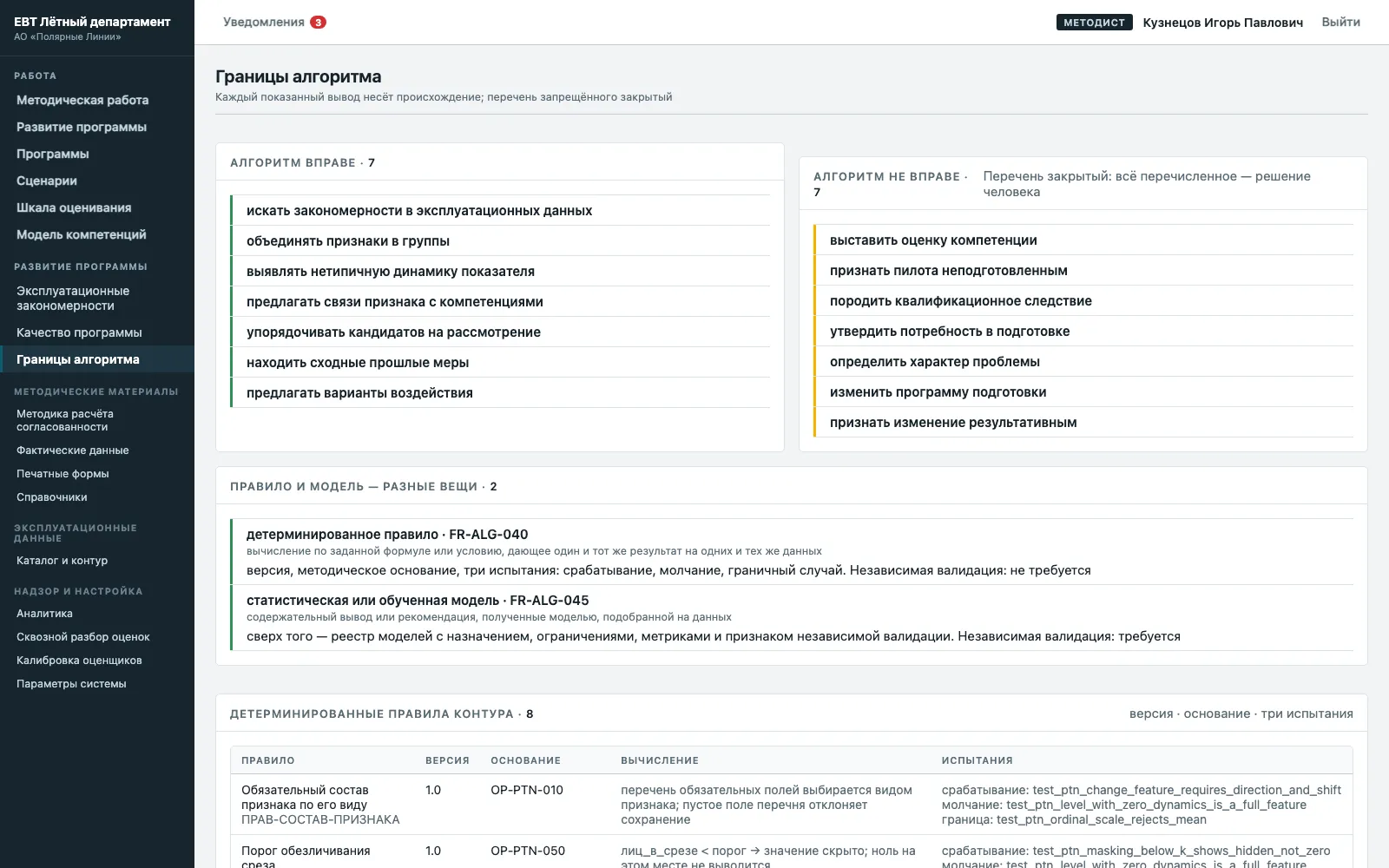
The «Algorithm boundaries» screen in EBT.ID: what the algorithm may do, and the closed list of decisions that stay with a person

Optimal Flight

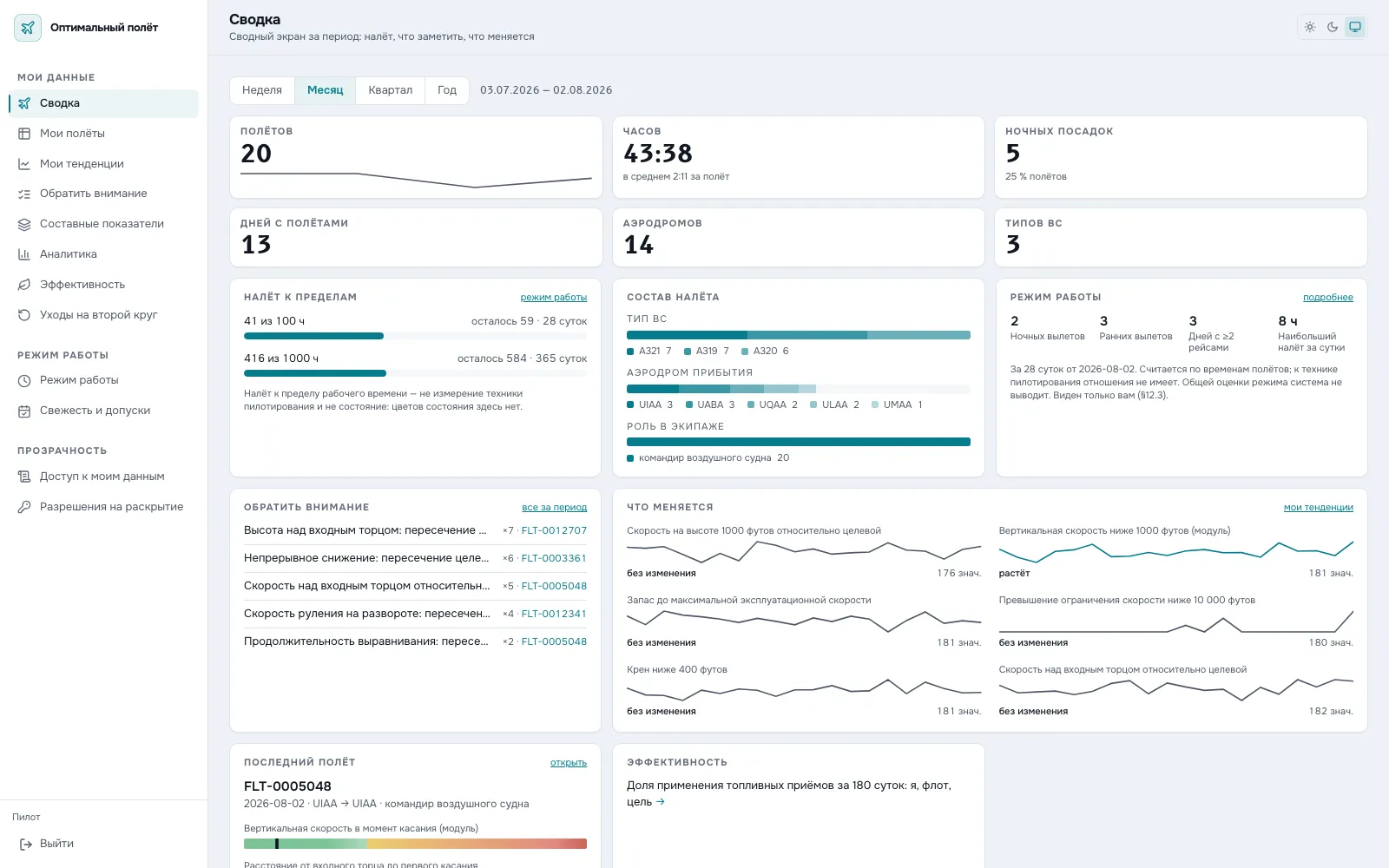
Self-review of handling technique from your own flight data

Optimal Flight returns the results of flight data processing to the pilot.

After every trip they see their own measurements, where each sits against the established limits, the history of that measurement and the distribution across comparable conditions — the same aircraft type and the same aerodrome.

Confirmed trends and repeated cases are shown separately. The «Worth noting» screen gathers repetition by measurement over two years.

The system supplies material for the pilot’s own review. It draws no conclusion about handling technique on their behalf.

A personal result is available to the pilot alone. Departments receive de-identified distributions for methodological work. This is the condition under which self-review works at all: under observation a person defends themselves instead of looking into the matter.

Read more

Pilot cabinet summary in Optimal Flight: hours against limits, composition of flying, repeated observations and measurement trends over a month

SMS.ID

One working loop for safety management, with the calculation beneath it

SMS.ID brings the main safety management processes into one working loop: from filing a report and first-line handling through investigation, risk management, meetings of the collegial body, quarterly reviews, change management and external reporting.

The system carries 29 working routes for 21 roles. Alongside them it supports assessment of personnel actions under a just-culture algorithm, inspections, mandatory reports, technical reliability, personnel training and crisis readiness.

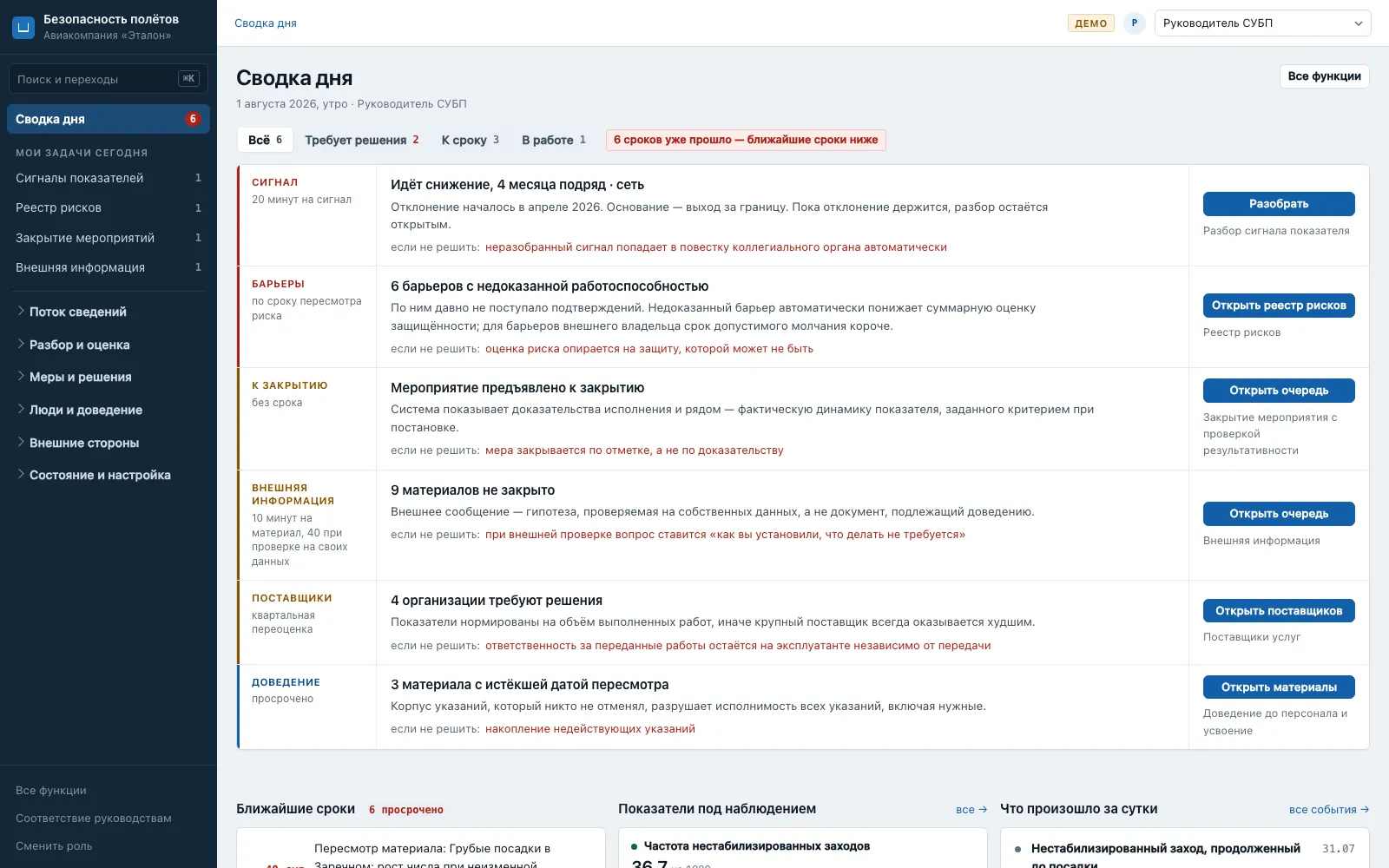
Each role’s home screen answers a practical question: which actions are required, by when, and what follows if the deadline passes.

A working route ends with a change in the state of an object. Viewing information without acting counts as no route of its own.

The analytical part is served by a separate calculation core.

Read more

Daily brief in SMS.ID: the role's tasks with a deadline and the consequence of missing it — an indicator signal, barriers of unproven effectiveness, measures due for closure

ICAP.ID

The soundness of the assessment itself

ICAP.ID gives assessors the same standardised material and measures the properties of their assessment.

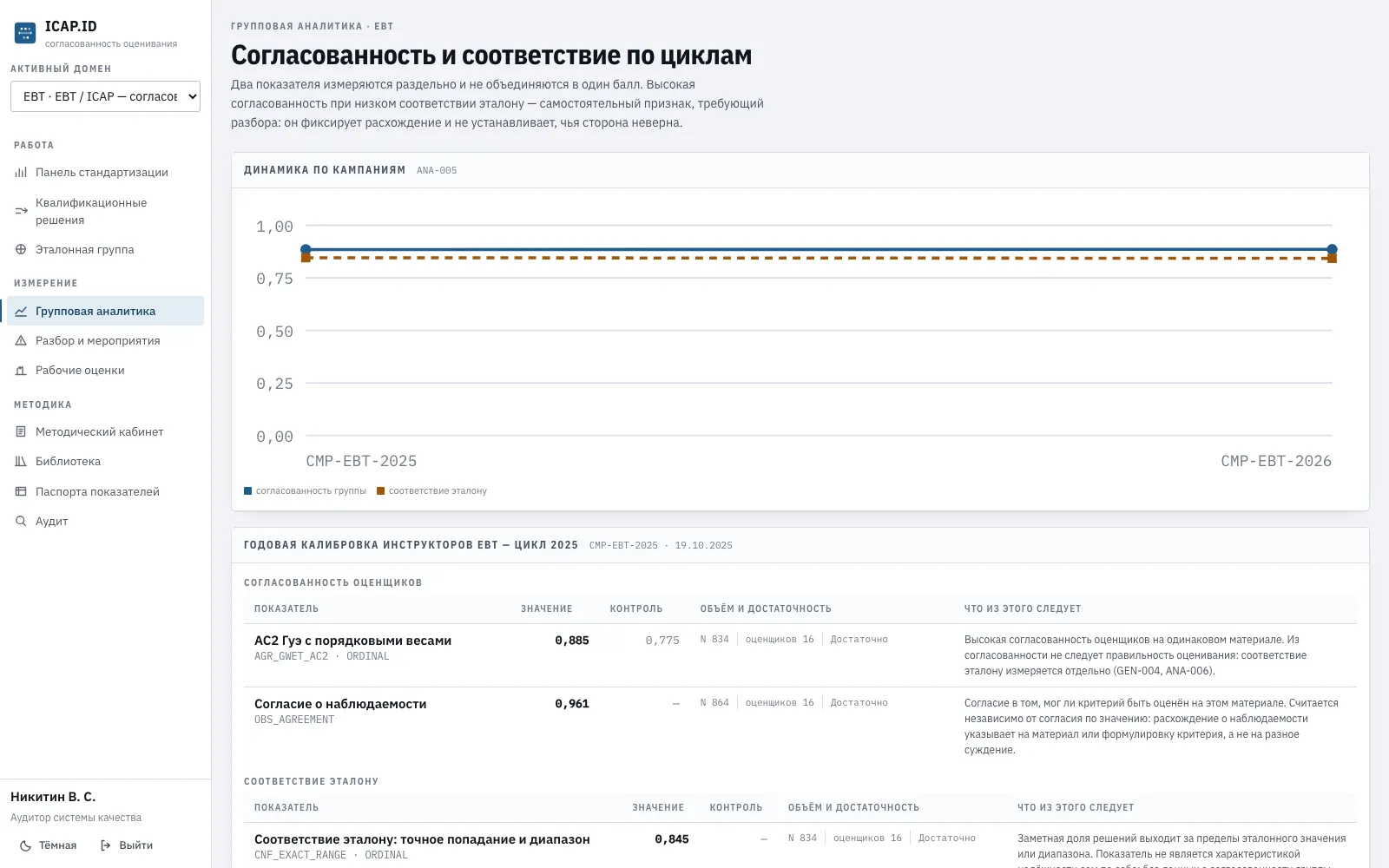
Inter-rater agreement, application of criteria and scale, conformity to the organisation’s reference and the stability of the result over time are computed separately.

These properties are never combined into one overall score.

The working cycle has three stages: calibration measures the current state, standardisation removes the divergences found, re-assessment checks the result.

In EBT.ID the calibration loop is built into the programme. As a separate product ICAP.ID applies where EBT.ID is not in use: qualification checks, type training, line and command training, and instructor standardisation.

Read more

Group analytics in ICAP.ID: agreement between assessors and conformity to the reference shown separately, each with its data volume and sufficiency

MyAir.ID

The pilot's remote workplace outside the cockpit

MyAir.ID is the pilot’s ground workplace, bringing together the main service processes outside the cockpit.

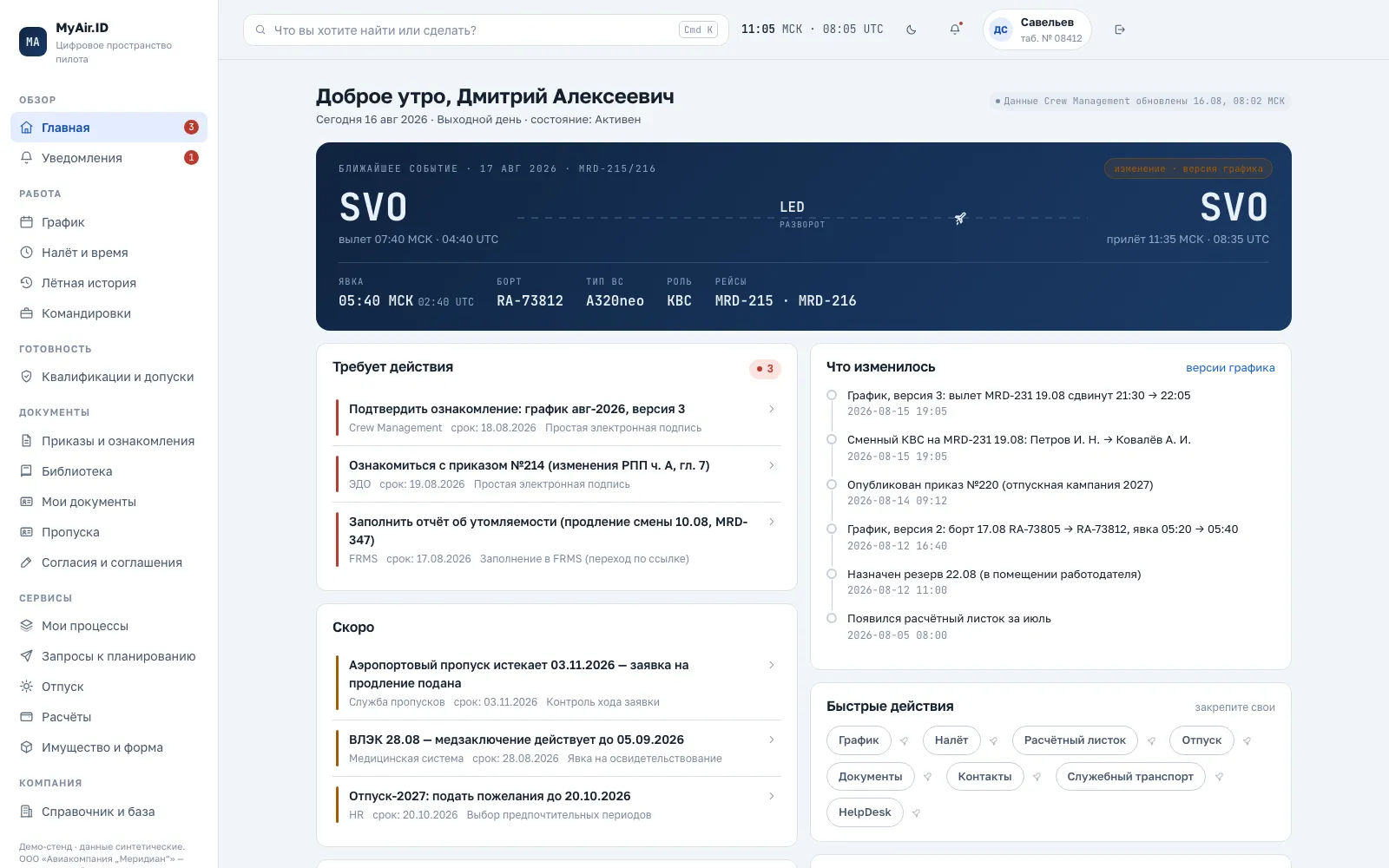
The pilot sees the next trip with report time, departure and aircraft; the roster and the history of its changes as before and after; the version number and the delivery deadline.

Acknowledgement of an order is signed with an electronic signature that fixes the content of the document and the composition of the evidence.

Personal flight-hour limits are shown with their grounds, document validity is checked against the country of the trip, requests to planning carry quotas and submission windows, and approvals require a written answer on refusal.

Search works across the user’s own data and understands ordinary questions, such as «how much leave do I have» or «order 214».

The main difficulty of the product lies in integrating the sources and keeping the data consistent between them.

Read more

MyAir.ID home screen: the boarding-pass style card for the next trip, tasks requiring a signed acknowledgement, and the feed of roster changes by version